

)
Ransomware is among the most harmful forms of cyber extortion and malware. Picture this: you’re working on an important project and suddenly, you’re confronted with a menacing message demanding payment to regain access to your files.
Read more to understand what ransomware is, how to protect yourself and how to remove it to help you stay safe online.
Ransomware meaning and definition
Ransomware is a type of malware that encrypts a victim’s data or device until they pay a ransom. Beyond just locking files and devices, a ransomware attack can lead to data breaches and expose sensitive information to unauthorized parties. This form of cyber extortion can spread through phishing emails, infected software downloads, and exploited vulnerabilities in your operating system.
Want to stay safe from ransomware?
F-Secure Total protects you from ransomware, viruses, and more.
What does ransomware do?
Ransomware encrypts the victim’s device or files, making them inaccessible without a decryption key. Here’s a breakdown of how ransomware attacks typically unfold:
Infection: Attackers can use phishing emails, malicious attachments, drive-by downloads, or software vulnerabilities to infect a victim’s device. These tactics trick the victim into unknowingly downloading ransomware.
File infection: Once a device is infected with ransomware, it is scanned for sensitive data to encrypt. It targets files that the victim cannot afford to lose.
Encryption: The ransomware encrypts the victim’s files or devices, making them inaccessible. This process happens quickly and can affect a wide range of file types, including documents, photos, network drives and databases.
Ransom: The attacker delivers a ransom demand, typically via a note on the victim’s screen to remain anonymous. The victim is instructed to pay the ransom to receive a decryption key.
Extortion: In some cases, attackers may steal sensitive data and use it as additional leverage. They may use double extortion, threatening to publicly leak the stolen data if the ransom is not paid.
Key impacts of ransomware attacks
Ransomware attacks can devastate individuals and businesses alike, resulting in severe consequences such as:
Financial loss. Beyond the ransom itself, victims face significant expenses from lost productivity and recovery efforts, leaving them financially vulnerable.
Access loss. Victims are locked out of their devices and do not have access to important data. To gain access, they have to pay the ransom.
Data loss. Critical data, including sensitive information and intellectual property, may be permanently lost if the ransom isn’t paid or the decryption key fails to work.
Operational disruption. Businesses can come to a complete standstill, causing delays and extensive productivity losses.
Damaged reputation. A ransomware attack can damage a firm’s reputation, especially in cases where sensitive data is leaked to the public.
4 types of ransomware
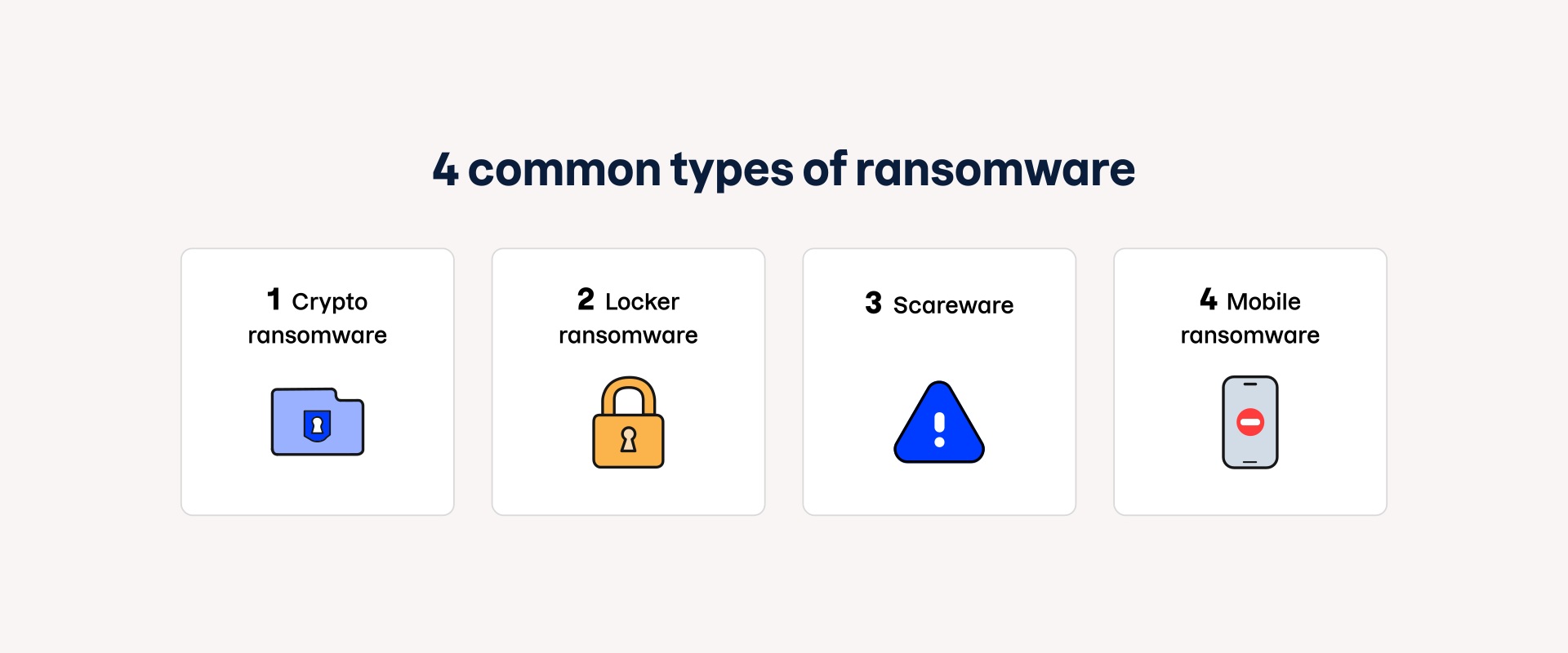
Ransomware is typically divided into two main categories: crypto ransomware and locker ransomware. Besides these two types, scareware and mobile ransomware are two ransomware variants with unique methods of causing havoc:
Crypto ransomware
Crypto ransomware encrypts the victim’s files and is thus also called encryption ransomware. This is the most common type of ransomware, and the victim can only gain access to the encrypted files by paying the ransom, typically in Bitcoin. However, paying the ransom does not guarantee file recovery.
Locker ransomware
Locker ransomware locks the victim’s device or screen, preventing access to any data until the ransom is paid. Typically, cyber criminals display a ransom demand on the computer or mobile screen rather than the normal operating system.
Scareware
Scareware is a type of social engineering that creates a false sense of panic and can trick users into believing their devices are infected with ransomware. When users get scared and click on a pop-up notification, the malware is activated and can encrypt data or damage files.
Mobile ransomware
This type of ransomware specifically targets mobile devices. Mobile ransomware can spread through malicious apps that look identical to legitimate ones. Most mobile ransomware falls into the locker ransomware category, as cloud backups can save victims from crypto ransomware.
Want to stay safe from ransomware?
F-Secure Total protects you from ransomware, viruses, and more.
How does ransomware get on your computer?
Ransomware spreads through various methods, often without your knowledge. It typically requires manual download by accident or may be installed automatically alongside other malware.
Here are the most common ways that ransomware can get to your computer:
Phishing links. The user clicks on an email link that leads to a compromised website. Phishing emails often mimic legitimate sources, tricking recipients into falling for the scam.
Malicious attachments. The user opens an email attachment that appears harmless and legitimate, but actually activates ransomware on the device.
Drive-by-downloads. Simply visiting a compromised website or clicking on a malicious ad can silently install ransomware on your device.
Software vulnerabilities. Ransomware attackers can target vulnerabilities in your software or operating system to gain unauthorized and remote access to your device.
Remote desktop protocol (RDP). Attackers can steal user credentials and gain access to enterprise systems through the remote desktop application.
Malicious ads. The user clicks on an infected ad that appears to be real but is actually embedded with malware.
How to prevent ransomware?
Follow these steps to prevent and detect ransomware:
Install a trusted online security software, such as F‑Secure Total, on all your devices.
Take regular offline backups of your data.
Keep your software and operating systems up to date and enable automatic updates.
Do not click links in emails; type them into your browser instead.
Be careful with attachments that request you enable or allow macros or editing.
Disable commonly exploited browser plugins, such as Flash Player and Silverlight.
By following these steps, you can prevent ransomware attacks by reducing vulnerabilities and enhancing your overall security posture.
How to remove ransomware?
Removing ransomware can be tricky, and in some cases, it may even be impossible once your device is infected. Here are two tips for removing ransomware from your device:
Disconnect from the internet. This stops the malicious acts from spreading through your network and prevents communication with the attacker’s server.
Use an advanced internet security software. If possible, run a virus scan to detect the malware. Next, shut down your device to minimize further damage.
Ransomware examples
The frequency and variety of ransomware attacks have surged in recent years. Many of these high-profile ransomware attacks capture national and global headlines due to their widespread impact. Here are two notable examples:
WannaCry ransomware attack
In 2017, one of the most notorious ransomware attacks hit the UK’s National Health Service (NHS). The WannaCry attack inflicted an estimated £92 million in damages, forcing the cancellation of 19,000 appointments. The NHS wasn’t the only victim — globally, WannaCry caused an estimated $4 billion in financial losses.
Synnovis ransomware attack
In 2024, Synnovis — a pathology laboratory that processes bloodwork for the NHS — had patient data stolen by the Russian cyber criminal group, Qilin. It’s still unclear how much money was demanded. However, after their ransom went unpaid, the group released almost 400GB of patient data on the dark web, including names, dates of birth, NHS numbers, and blood test details.
)