

Summary
F-Secure received several reports of W32/Myparty worm from the field at January 28th, 2002. First samples arrived from Singapore and then more various other Asian countries, but soon samples were coming in from all around Europe and USA too.
Removal
If you have Windows 9x-based system, restart your computer first. Then scan all your hard drives and delete all found samples of Myparty worm. Use 'Ask after scan' as the default action for F-Secure Anti-Virus and then select 'Delete' action for worm files. Important: do not select 'Delete' disinfection action if an infection is reported in email database!
If you have NT-based system, open Task Manager, Click on 'Processes' tab, find 'msstask.exe' process, select it by clicking on its name and then click 'End Process' button. Important: do not terminate 'mstask.exe' process! After that locate MSSTASK.EXE file on your hard drive (it should be in your user profile \Start Menu\Programs\Startup folder) and delete it. You can use 'Find Files and Folders' functionality of Windows to search for 'MSSTASK.EXE' file.
A False Positive is when a file is incorrectly detected as harmful, usually because its code or behavior resembles known harmful programs. A False Positive will usually be fixed in a subsequent database update without any action needed on your part. If you wish, you may also:
- Check for the latest database updates
- First, check if your F-Secure security program is using the latest updates, then try scanning the file again.
- Submit a sample
- After checking, if you still believe the file is incorrectly detected, you can submit a sample of it for re-analysis.
- Note: If the file was moved to quarantine, you need to collect the file from quarantine before you can submit it.
- Exclude a file from further scanning
- If you are certain that the file is safe and want to continue using it, you can exclude it from further scanning by the F-Secure security product.
- Note: You need administrative rights to change the settings.
Technical Details
Distribution
This worm spreads in a message with the following content:
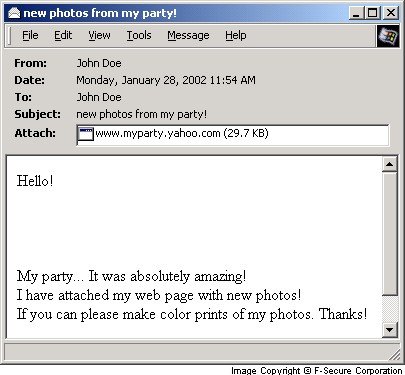
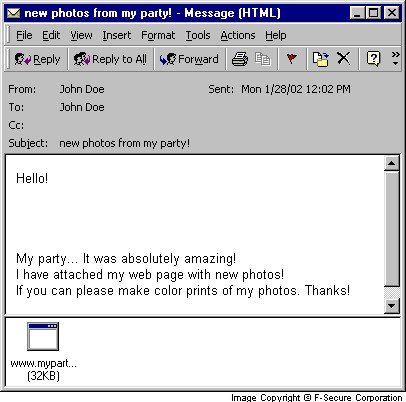
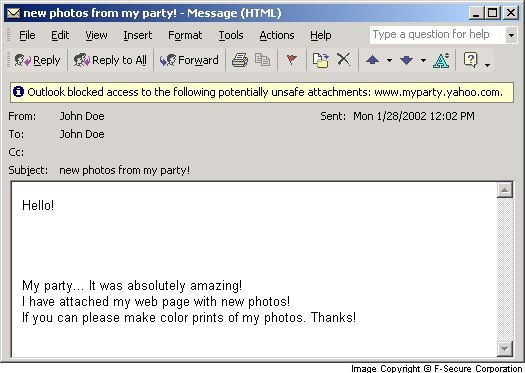
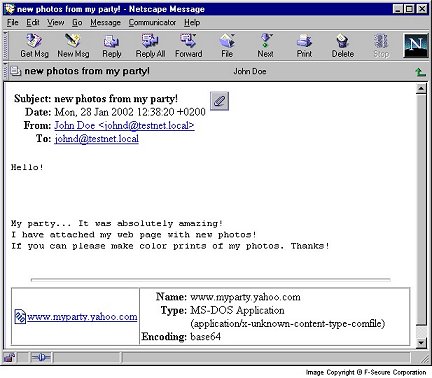
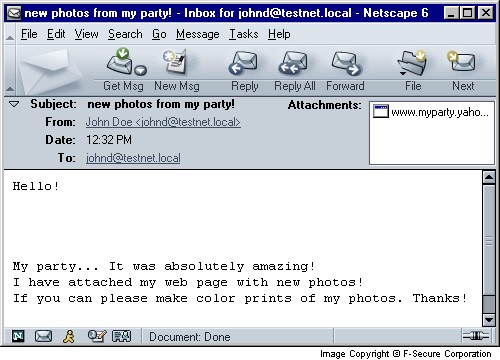
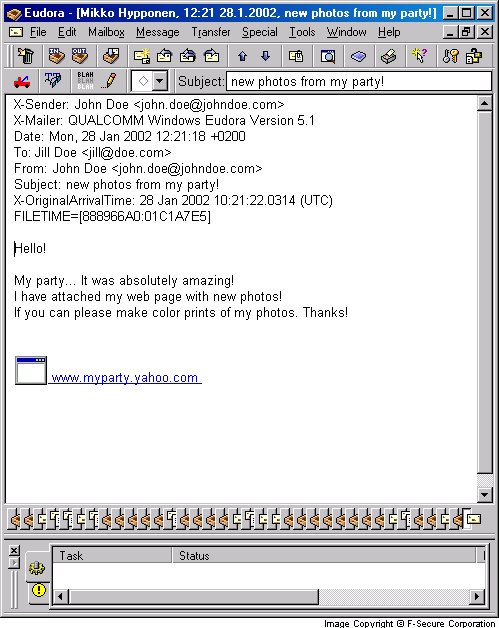
Subject: new photos from my party! Body: Hello! My party... It was absolutely amazing! I have attached my web page with new photos! If you can please make color prints of my photos. Thanks! Attachment: www.myparty.yahoo.com Please note that the attachment may look like a link to a web site in some email clients.
The worm is a PE EXE file about 30kb long, compressed with a modified UPX file compressor. The origin of the worm is most likely Russia. The worm behaves a bit differently on NT and 9x-based systems. On non-Russian NT-based systems the worm drops a backdoor that is controlled by a script on a remote website.
Execution
When the worm's file is activated, it first checks system date. If the year is 2002, months is January and date is earlier than 25th, the worm tries to copy itself to \Recycled or \Recycler folder and terminates its process. If the date is between 25th and 29th, the worm does not perform this operation and continues working.
The worm then checks keyboard layouts and if one of the layouts is equal to 0419 (Russian), the worm copies itself to Recycled Bin and terminates its process. Systems with Russian keyboard layouts are therefore not affected.
On non-Russian NT-based systems,the worm drops a backdoor to the current user's profile startup folder (\Start Menu\Programs\Startup) as MSSTASK.EXE. This file will be activated on next Windows startup and also after the worm sends itself out. The dropped file is a backdoor that is controlled by a CGI script a website with address '209.151.250.170'.
The worm checks the name of file from which it was started. If the operating system is Windows 9x, the worm copies itself to the Recycled Bin as REGCTRL.EXE; alternatively, if the operating system is NT-based, the worm copies itself to root of C: drive as REGCTRL.EXE.
If the worm is started from a *.COM file, it only copies its file as REGCTRL.EXE to either \Recycled or root folder of C:\ drive, activates this file and moves the original file that it was started from to Recycled Bin. This does not happen on Windows 9x systems.
After that, the worm opens a default web browser on 'www.disney.com' page and starts the REGCTRL.EXE file from the location it was copied to earlier.
Propagation (email)
If the worm is started from EXE file, it gets user's SMTP server address and email address from the Registry. Also the worm locates Windows Address Book (WAB) and gets email addresses from there. After that worm browses *.DBX files (Outlook email databases) for email addresses. Finally the worm sends itself to all found email addresses. The worm also sends a message to'napster@gala.net' email address.
After mass-mailing the worm moves its file to Recycled Bin and activates a backdoor (if it was previously dropped to Startup folder of current user's profile).
Here's what the message and attachment looks like under Outlook Express:
Here's what the message and attachment looks like under Outlook 2000:
Here's what the message and attachment looks like under Outlook XP:
Here's what the message and attachment looks like under Netscape 4.61:
Here's what the message and attachment looks like under Netscape 6.21:
Here's what the message and attachment looks like under Eudora 5:
Variant:Myparty.b
This version was found later on January 28th, 2002 - but it seems to predate the version described above. This version was programmed to spread during January 20-24th, 2002.
Protect your devices from malware with F‑Secure Total
Protecting your devices from malicious software is essential for maintaining online security. F‑Secure Total makes this easy, helping you to secure your devices in a brilliantly simple way.
- Award‑winning antivirus and malware protection
- Online browsing, banking, and shopping protection
- 24/7 online identity and data breach monitoring
- Unlimited VPN service to safeguard your privacy
- Password manager with private data protection
Choose how many devices you want to protect to get started.

- Free customer support
- Cancel anytime
- The trial does not obligate you to buy the product
After 30 days your subscription will renew automatically for one year at €69.99.


More Support
Community
Ask questions in our Community.
User guides
Check the user guide for instructions.
Contact Support
Chat with our support for assistance.
Submit a Sample
Submit a file or URL for analysis.