

Summary
Look2Me adware operates in stealth and displays an excessive amount of pop-up advertisements. Most common are IE pop-up windows, but some pop-ups are tailored by shape and animation. Some of the advertisements push the user to install ErrorGuard or WinFixer. Look2Me requires a special removal tool to disinfect. Look2Me only infects Windows 2000, XP and 2003.
Removal
Use F-Look2Me to remove Look2Me.
- Download f-look2me.zip (last updated April 11th, 2006) from: [link removed]
- Unzip f-look2me.zip
- Run f-look2me.exe
- Reboot the machine
F-Look2Me loads itself as a service to gain system privileges. The service renames infected files and patches the adware in memory. It also restores Debug Privileges for group Administrators. F-Look2Me requires administrator rights to run.
A False Positive is when a file is incorrectly detected as harmful, usually because its code or behavior resembles known harmful programs. A False Positive will usually be fixed in a subsequent database update without any action needed on your part. If you wish, you may also:
- Check for the latest database updates
- First, check if your F-Secure security program is using the latest updates, then try scanning the file again.
- Submit a sample
- After checking, if you still believe the file is incorrectly detected, you can submit a sample of it for re-analysis.
- Note: If the file was moved to quarantine, you need to collect the file from quarantine before you can submit it.
- Exclude a file from further scanning
- If you are certain that the file is safe and want to continue using it, you can exclude it from further scanning by the F-Secure security product.
- Note: You need administrative rights to change the settings.
Technical Details
Look2Me adware is made by NicTech Networks Inc. The name Look2Me originates from the servers that the earlier versions connected to. Today, Look2Me adware connects to www.ad-w-a-r-e.com.
The image below is an example of one of the many pop-ups Look2Me produces:
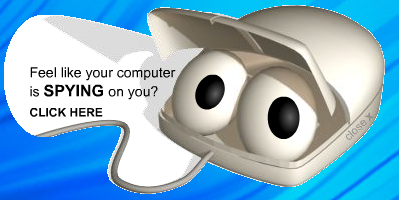
Look2Me is installed in stealth by trojans. During the install process, Explorer is restarted and it initially looks like the computer will shutdown. It does not shutdown but instead installs the guardian to the system.
Look2Me uses a guardian implementation to prevent removal. The guardian implementation attaches a Notification package to Winlogon and monitors users policy rights and system settings. Look2Me removes Debug Privileges from all user accounts.
Protect your devices from malware with F‑Secure Total
Protecting your devices from malicious software is essential for maintaining online security. F‑Secure Total makes this easy, helping you to secure your devices in a brilliantly simple way.
- Award‑winning antivirus and malware protection
- Online browsing, banking, and shopping protection
- 24/7 online identity and data breach monitoring
- Unlimited VPN service to safeguard your privacy
- Password manager with private data protection
Choose how many devices you want to protect to get started.

- Free customer support
- Cancel anytime
- The trial does not obligate you to buy the product
After 30 days your subscription will renew automatically for one year at €69.99.


More Support
Community
Ask questions in our Community.
User guides
Check the user guide for instructions.
Contact Support
Chat with our support for assistance.
Submit a Sample
Submit a file or URL for analysis.