

)
Phishing is one of the most widespread cyber security threats, and it can spread through emails, text messages, phone calls and QR codes. According to F‑Secure’s Scam Intelligence & Impacts Report 2026, email is the most common channel for scam attempts globally. Learn more about phishing and how to protect yourself.
Phishing is when an attacker misleads you into opening a malicious link or email attachment by disguising it as something from a legitimate person or trusted company.
Scammers use phishing to trick you into revealing confidential details or other sensitive data they can exploit for identity theft or financial fraud.
If you suspect that you have received a phishing link, you can check if it is safe to open with F‑Secure’s free Link Checker tool.
F‑Secure Total protects you from phishing attacks by providing award-winning scam protection and antivirus, and monitoring your identity and data for suspicious activities 24/7.
5 phishing scams to look out for
Understanding phishing and why scammers use it is crucial for protecting yourself. Historically, phishing attempts could be identified by things like poor grammar, which was often comedically bad. But advances in AI technology have made it easier than ever for scammers to appear legitimate.
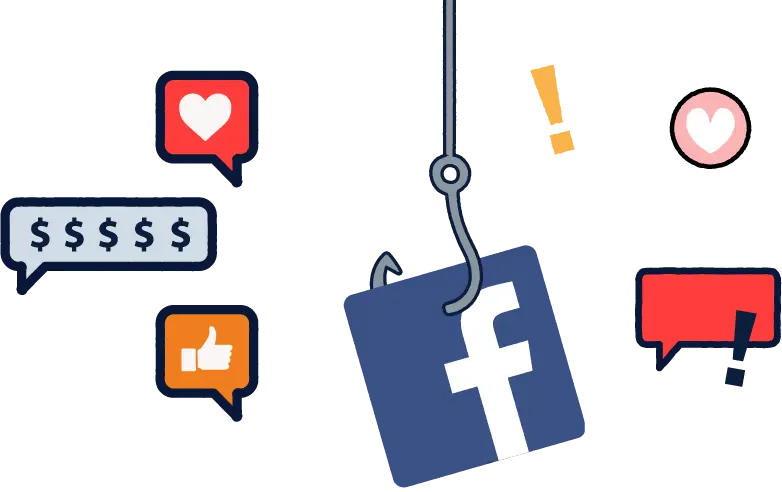
1. Social media phishing
The goal: Steal account credentials, personal data, and financial info on platforms like Facebook, WhatsApp, Instagram, and LinkedIn.
Concrete example: An unknown profile sends you a random friend request, followed by a direct message with a link, claiming it’s a video or web page you need to see.
Defense: Ignore stranger requests, use unique passwords with multi-factor authentication, and set up backup contact methods for recovery.
)
2. Netflix phishing and streaming service fraud
The goal: Take over streaming accounts to sell them or harvest credit card details.
Concrete example: You receive an urgent email claiming your automatic monthly subscription payment was declined. It provides a link to a fake login page that asks you to update your billing details.
Defense: Never click payment links in emails. If an account has an issue, log in directly through the official Netflix app or website to check your status.
3. Exploiting current events
The goal: Weaponize human emotion — either the desire to help or the desire for romance — to steal money.
Concrete examples: Tax season scams, end-of-the-year shopping season scams or a fake Red Cross email asking for urgent cryptocurrency donations to support war victims.
Defense: Treat any request for cryptocurrency as a red flag. Only donate directly through official charity websites.
4. “Hi Mum / Hi Dad” scams
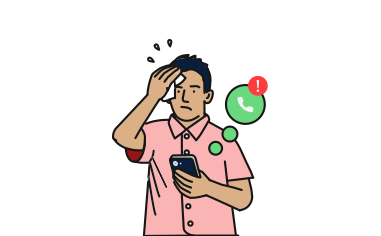
The goal: Exploit parental panic to trick victims into wire-transferring money.
Concrete example: A WhatsApp message from an unknown number reads: “Hi Mum, my phone broke so I’m using this temporary number. I need to buy food and a bus ticket home, can you transfer $50 right now?”
Defense: Don’t act on the urgency. Call the child’s original phone number or contact them via another known method to verify before sending any money.
5. Online gaming and Roblox scams
The goal: Hijack valuable gaming accounts, such as Steam and Roblox, to steal in-game currency, skins, or items.
Concrete examples: A friend’s hijacked Discord account sends you a link asking you to “click here and vote for my team in a tournament,” which steals your login.
Defense: Teach children to be cautious with free in-game items. Never enter login credentials on any site outside of the official game launcher.
AI phishing attacks have a 54% click-through rate
In F‑Secure’s Scam Intelligence & Impacts Report 2026 (p. 17-20), Dr. Megan Squire, award-winning author and Threat Intelligence Researcher at F‑Secure, discusses AI data poisoning as a new phishing tactic. Here’s how AI data poisoning in phishing works:
Scammers secretly feed false information into the data pools that AI models use to learn and find answers.
By injecting these lies — such as fake customer service numbers or fraudulent links — into the models, attackers trick the AI into trusting them.
When an unsuspecting user asks the AI for help, the AI unknowingly hands them a phishing scam wrapped in a seemingly trustworthy recommendation.
Industry experts also highlight that AI is significantly enhancing scammers’ capabilities. According to Abdullah-Al Mazed, Senior Technical Product Manager at F‑Secure, Natural Language Processing (NLP) and Large Language Models (LLMs) can be easily used to write convincing phishing emails. The Microsoft Digital Defense Report 2025 also highlights the effectiveness of AI in phishing:
According to the Microsoft Digital Defense Report 2025, p.37, phishing texts written by AI have a 54% click-through rate compared to 12% for standard attempts.
What are the different types of phishing?
To counter the increasingly sophisticated phishing scams, maintaining up-to-date cyber security measures is essential.
Type of phishing | Definition |
|---|---|
Phishing | Scammers send emails disguised as those from legitimate entities, such as banks or retailers, to steal sensitive data. These emails typically have a false sense of urgency, warning that your account will be compromised if you don’t act immediately. |
Spear phishing is a highly targeted attack directed at a specific individual or organization. Attackers use personalization and advanced social engineering to make the deception convincing. | |
Smishing, or SMS phishing, involves deceptive text messages that trick users into clicking on malicious links or revealing sensitive details. People are often less wary of SMS scams than of email scams, making them more vulnerable. | |
Phishing can also be conducted through phone calls — a technique known as vishing, or voice phishing. Vishing scams may involve real scam callers, automated text-to-speech software, or AI-generated voices. | |
Quishing | Using malicious QR codes to trick victims into visiting fake websites or downloading malware onto their devices. Scammers exploit the general public’s trust in QR codes by placing them in plain sight or embedding them in digital messages. |
According to the IBM Cost of a Data Breach Report 2025, email phishing is among the most common phishing attack types. Falling for an email phishing scam can result in the exposure of your personal and financial information.
How to spot phishing emails
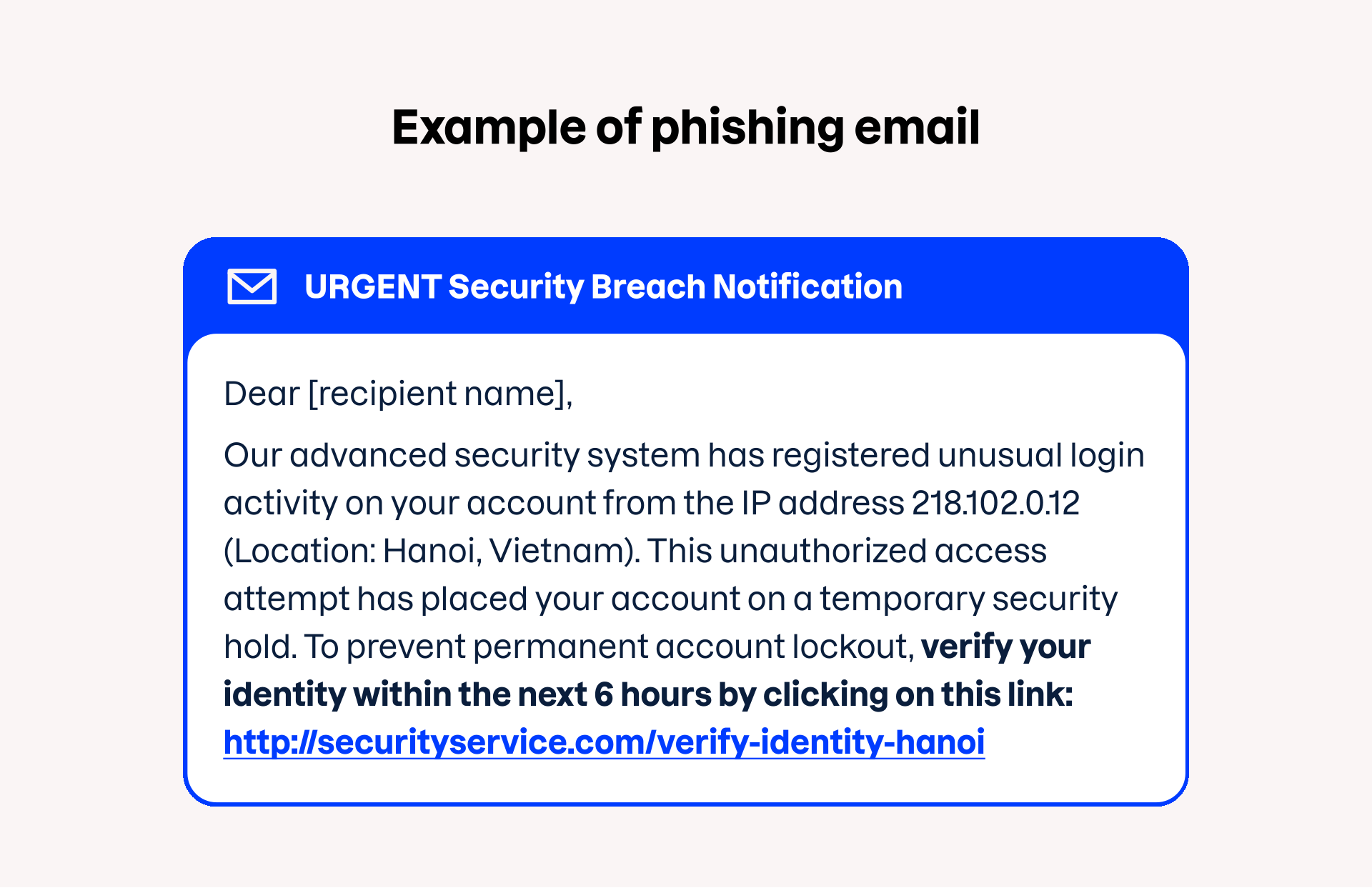
Recognizing phishing attacks involves spotting specific red flags. Five key signs of phishing include:
Urgent or threatening language
Unusual or unfamiliar sender email addresses
Mismatched hyperlinks, which can be checked by hovering over the link
Requests for sensitive information, such as login credentials
Attachments that appear suspicious or are unexpected
Frequently asked questions about phishing
Phishing is when scammers deceive individuals into disclosing sensitive information, such as personal, financial, or login details, by posing as a trustworthy entity. Phishing can be done via email, SMS, phone calls, or QR codes.
A phishing scam is a type of cyber crime where an attacker misleads you into opening a malicious link by disguising it as a message from a trusted company or person. Scammers use phishing scams to get your confidential details, which they then exploit for identity theft or financial fraud.
A phishing link is a malicious hyperlink embedded in a fraudulent message that appears to be a legitimate recommendation. Use our free F‑Secure Link Checker tool to see if a link is safe to click on.
A phishing message might look like an urgent security notice, an automated subscription failure email, or an unexpected direct message on social media from a stranger.
F‑Secure Total is an award-winning online security, privacy and scam protection solution that includes everything you need to protect yourself and your family from phishing. Already millions of customers have chosen F‑Secure to protect their digital life.
As an immediate step, always change the password associated with the account credentials compromised by a scam. You can also download a trusted security solution, such as F‑Secure Total, that offers advanced phishing and scam protection, monitors your data, alerts you to risks, and provides identity theft assistance and coverage.
If you clicked a phishing link but did not enter any details, you should immediately disconnect your device from the internet, close the page, and run a scan with a trusted antivirus program to detect and remove any malware that may have been unknowingly downloaded.
Attackers begin by crafting highly convincing messages that mimic legitimate organizations. Once a victim clicks a link or opens an attachment, they are manipulated into revealing data or installing malware. Scammers use this data to execute unauthorized financial transactions or commit identity theft.
If you clicked on a phishing link, don’t respond to the message or click on any further links. Contact the company or organization through a legitimate phone number or email, and report the attempt to relevant authorities, such as the Anti-Phishing Working Group and the Federal Trade Commission. Ensure your security software is up to date and run a scan to detect any malware.
F‑Secure Total is an award-winning online security solution that protects you against phishing attacks. It serves as a comprehensive cyber protection tool by providing robust antivirus and malware defense, and monitoring your identity and data for breaches 24/7.
Use F‑Secure Total for advanced online security for all your devices. Use F‑Secure Link Checker to check if a link is safe to open. Don’t act on urgency, and be extra cautious around holiday seasons, such as Christmas and Black Friday.
)