)
Is PayPal safe?
While PayPal is a safe and reliable online payment system for sending and receiving money and for online shopping, scammers have been known to use the platform to trick strangers into transferring money to them. Despite PayPal’s reputation as a secure payment system, users must still be vigilant against common PayPal scams.
Some of PayPal’s most important security features include:
Seller receives no financial details. PayPal is safe because the seller receives no financial details, such as your credit card or bank account number. This limits the number of places where criminals could steal your financial information.
End-to-end encryption. All PayPal transaction details are protected and encrypted to ensure sensitive information is handled safely.
PayPal’s Seller Protection Program. PayPal provides both Seller and Buyer Protection, which helps reduce the risk of not receiving your money or the products you paid for.
Two-factor authentication. PayPal users can activate two-factor authentication (2FA) via an authenticator app, a security key, or a text message.
24/7 scam monitoring and notifications. PayPal has an advanced monitoring system and instant alerts to notify you of suspicious activity and help you avoid advanced payment scams.
7 most common PayPal scams
With more than 400 million users worldwide, PayPal’s popularity has attracted fraudsters and online scammers looking for victims. To get their hands on your money and personal or financial information, PayPal scammers rely on many common methods also used on other online services. Look out for these common PayPal scams:
Don’t fall victim to scams
Get protected against online scams with F‑Secure.
1. PayPal email scams
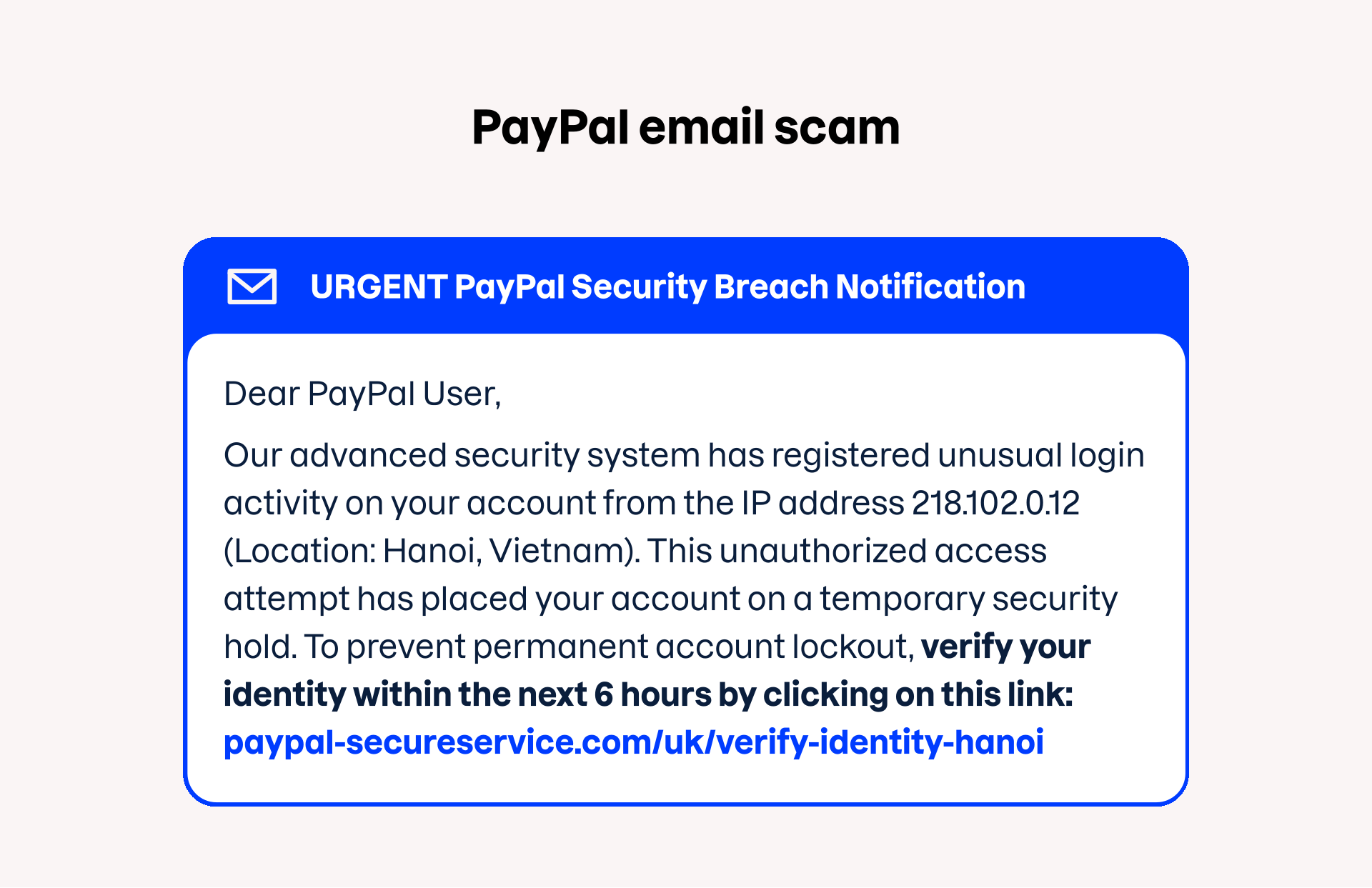
PayPal email scams, also known as PayPal phishing scams, use fake emails that convincingly imitate official PayPal accounts to trick people into revealing financial information or login credentials. These schemes often create a false sense of panic, such as threatening account closure, alerting you to a fake purchase, or tricking you with a fraudulent overpayment.
Stay safe from PayPal email scams by being suspicious of any urgent messages and always verifying them by manually typing the official PayPal website into your browser rather than clicking any email links.
2. PayPal invoice scams
A PayPal invoice scam is when you receive a fake invoice for things or services you never ordered. The invoice can also trick you into calling a fake customer service number or giving up sensitive information.
Always check PayPal invoices carefully and never pay suspicious invoices. Always log in to your PayPal account on the official website, rather than viewing invoices from unexpected emails or links.
![Example content of a PayPal invoice scam: “Dear [Recipient Name], Thank you for your order. Your purchase has been successfully processed, and an invoice is attached…”](/i/1920x1175/e1edaf4b7f/paypal-invoice-scam-en.svg)
3. PayPal money request scams
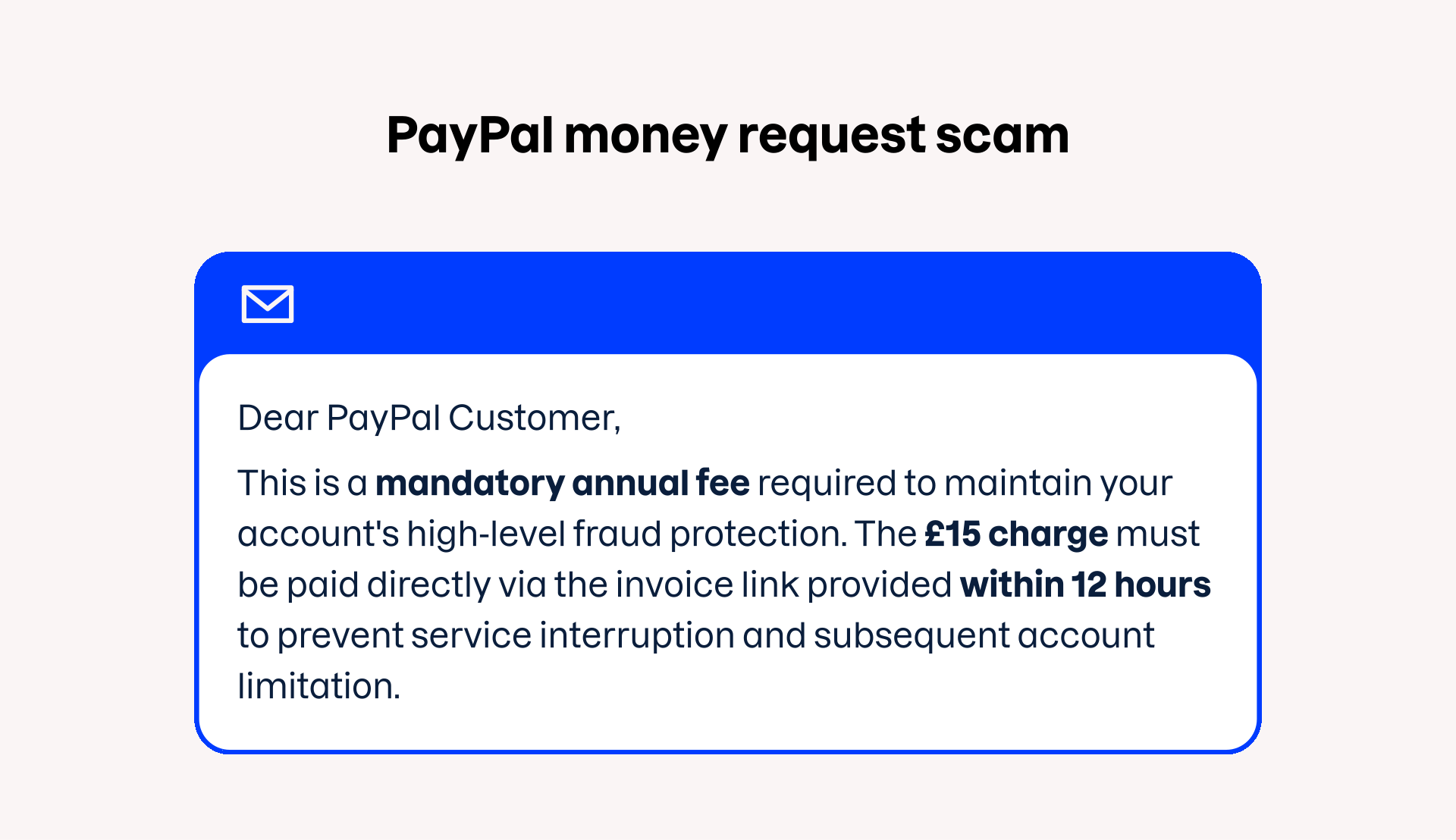
A PayPal money request scam is when you receive a fake payment request, often for products or services that you did not order or an additional service to protect your PayPal account. If you don’t recognize the sender of the request or receive an unexpected money request in the PayPal app, always decline the request and do not send the money.
4. PayPal refund scams
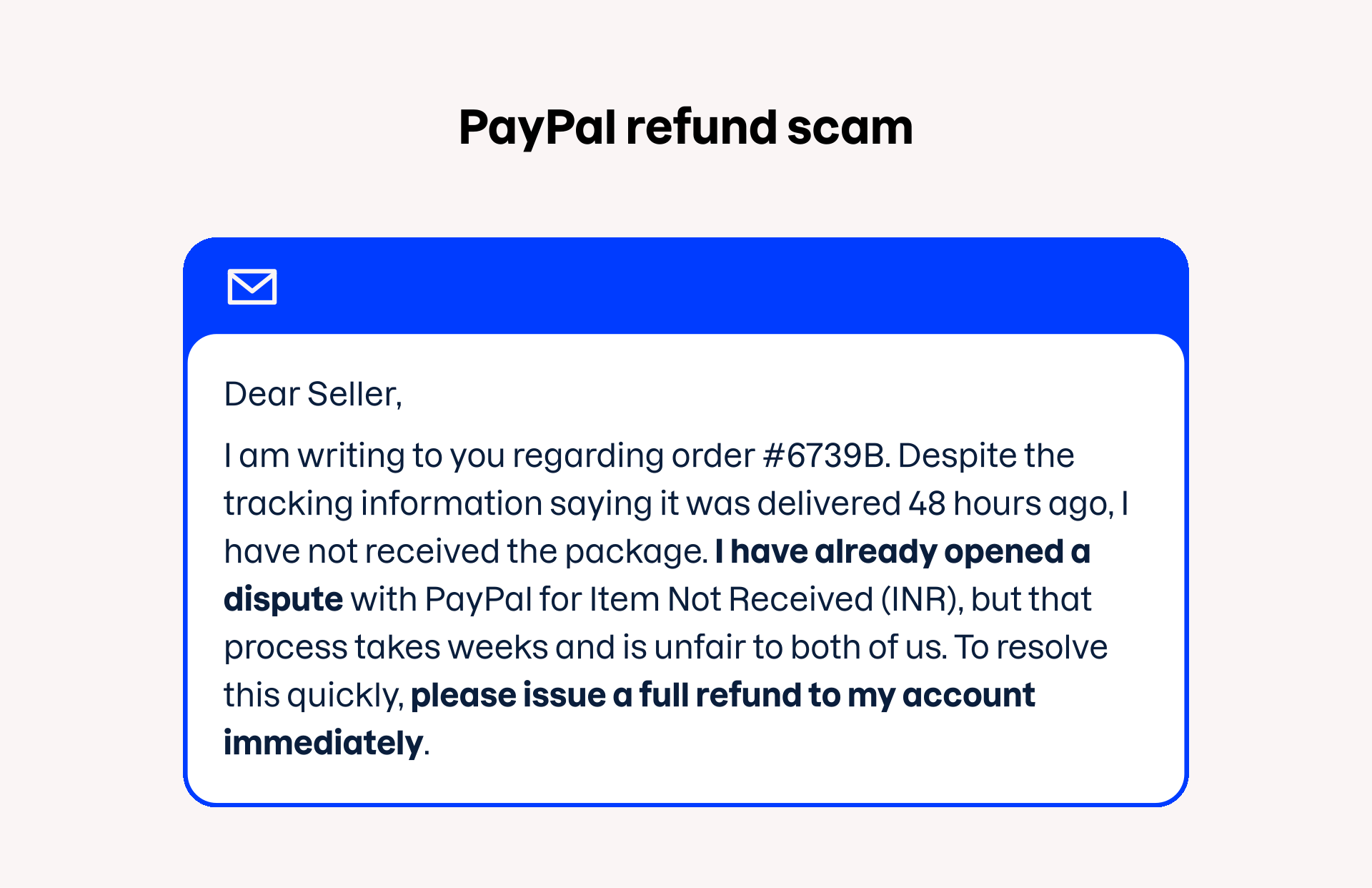
A PayPal refund scam involves a buyer sending a refund payment that appears to exceed the item’s cost, then asking the seller to return the “extra” amount. Alternatively, a scammer might falsely claim they never received their purchase or that a payment was made in error, in an attempt to pressure you into issuing a refund.
5. Link to a fake website
A fake PayPal website can be difficult to identify when done with attention to detail. The site may look like the real PayPal login page, but in reality, it is used to steal your password. Stay away from scam websites that look like the real PayPal site but use a URL other than www.paypal.com, or that contain incorrect or outdated information or poorly written text.
Don’t fall victim to scams
Get protected against online scams with F‑Secure.
6. PayPal overpayment scams
A PayPal overpayment scam involves the buyer paying more than they should have to the seller’s PayPal account. The overpayment is often explained as covering shipping costs or as a bonus. Shortly afterwards, the buyer asks for a refund of the difference. In reality, the seller should be alert at this point and never wire the extra payment.
If the overpayment is refunded to the buyer, they can cancel the original payment and leave the seller short of the amount they had sent. If they are unlucky, the seller may have already shipped the product, leaving them to lose the goods they sold as well.
![Example content of a PayPal overpayment scam: “Hi [Seller Name], When paying the invoice for the table and chairs (£100), I accidentally added an extra zero…”](/i/1920x1162/cdd0ccf0b4/paypal-overpayment-scam-en.svg)
7. Advance payment scams
In an advance fee scam, someone asks for a small advance payment so they can send you a larger amount in return. After you have sent the other person — who definitely uses a fake identity — your money, you are unlikely to hear back from them.
PayPal scammers are good at coming up with reasons for the advance fee. It can be anything from covering the cost of shipping a product to an unimaginable amount of money you have inherited. Do not send any advance fees to avoid being scammed.
![Example content of a PayPal advance payment scam: “Dear [Buyer Name], Thank you for purchasing the Playstation 5 Console (Limited Edition)! The console’s full value is covered, but we require…”](/i/1920x1095/9d43084ee1/paypal-advance-payment-scam-en.svg)
How do I know if someone is scamming me through PayPal?
Scammers on PayPal are using increasingly advanced tactics, which makes it very difficult to identify sophisticated online fraud. Here’s how to spot and identify PayPal scams:
Urgency. As with any online scam, scammers create a sense of urgency to trick you into acting immediately without thinking about the consequences.
Request for personal information. PayPal never asks for your personal information, such as your password, credit card number, or login information, by email, phone, or text message.
Generic greetings. Emails from established companies often use personal greetings or your name. A generic greeting such as “Dear user” might be a sign of a PayPal scam.
Suspicious links or attachments. By hovering your mouse over a link, you can see the actual URL address. Look carefully, as fake URLs can have minor spelling errors or endings. Never open suspicious or unexpected attachments.
Typos and grammatical errors. Poor grammar and spelling are common signs of online scams. Legitimate companies seldom have grammatical errors in their messages.
How to report a PayPal scam?
Whether you fall for a PayPal scam or not, reporting fake websites, phishing messages, and other forms of fraud helps PayPal make its service safer. Here’s how to report a PayPal scam:
Log in to your PayPal account and report the activity through the Resolution Center.
Forward any suspicious emails to phishing@paypal.com. Delete the suspicious mail after sending it to PayPal for inspection.
Change the password for your PayPal account and notify your bank and local authorities if necessary.
Protect your PayPal account and pay safely
Keeping your money safe on the internet requires comprehensive protection, especially when using an unfamiliar online store or shopping on public Wi‑Fi. There is also a lot you can do yourself to avoid PayPal scams and use the internet safely:
Handle your money with care. When dealing with online payments and shopping, think twice about whom you want to trust with your money and financial details. Do not pay sketchy invoices or send money to unverified sellers.
Do not share personal information. A PayPal scam email can compromise your personal information, which can be used for identity theft.
Use strong passwords. All your accounts should be equipped with a strong and unique password that is hard to guess and is not used anywhere else. Generate new passwords and store them with a password manager.
Activate two-factor authentication. Scammers can steal your password, but will have a harder time accessing your PayPal account if you have two-factor authentication enabled.
Browse with a VPN connection. Many PayPal users do their shopping or access their account on public Wi‑Fi that may lack the necessary encryption or is set up to snoop on their information. Turn on a VPN and do your online shopping and browsing privately with a secure connection.
Use an antivirus. In addition to stealing your money and information, scammers can spread malicious software with phishing scams disguised as PayPal emails. F‑Secure’s advanced antivirus stops malware infections and identifies harmful websites.
Don’t fall victim to scams
Get protected against online scams with F‑Secure.