VB.AS
Summary
VB.AS, a variant of VB, is a Trojan. VB.AS collects email addresses and is used by spammers to send emails from infected computers. VB.AS modifies registry keys and shows fake error messages.
Removal
Based on the settings of your F-Secure security product, it will either move the file to the quarantine where it cannot spread or cause harm, or remove it.
A False Positive is when a file is incorrectly detected as harmful, usually because its code or behavior resembles known harmful programs. A False Positive will usually be fixed in a subsequent database update without any action needed on your part. If you wish, you may also:
- Check for the latest database updates
First, check if your F-Secure security program is using the latest updates, then try scanning the file again.
- Submit a sample
After checking, if you still believe the file is incorrectly detected, you can submit a sample of it for re-analysis.
Note: If the file was moved to quarantine, you need to collect the file from quarantine before you can submit it.
- Exclude a file from further scanning
If you are certain that the file is safe and want to continue using it, you can exclude it from further scanning by the F-Secure security product.
Note: You need administrative rights to change the settings.
Technical Details
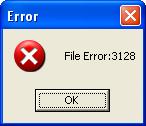
Upon execution, VB.AS, detected as Email-Worm.Win32.VB.as, displays a fake message: "File Error: [number]".
It then creates copies of itself in the following folders as:
- %Temp% - (usually C:\Documents and Settings\[user]\Local Settings\Temp\ )
- %SystemDrive% - (usually C:\ )
It also creates the following registry entries to automatically launch when Windows starts:
- [HKEY_CURRENT_USER\Software\Microsoft\Windows\CurrentVersion\Run] AVPScaner "C:\Documents and Settings\[user]\Local Settings\Temp\"
- [HKEY_LOCAL_MACHINE\SOFTWARE\Microsoft\Windows\CurrentVersion\Run] HostNet Service "C:\Documents and Settings\[user]\Local Settings\Temp\"
Additional registry entry:
- [HKEY_CURRENT_USER\Software\Microsoft\Symantecs\Ver] Ver " 50"
It also searches for possible email addresses from all htm files found on the harddrive. All gathered data will be saved in the registry as follows:
- [HKEY_CURRENT_USER\SOFTWARE\Microsoft\Records\FileList] List of htm files scanned for email addresses
- [HKEY_CURRENT_USER\SOFTWARE\Microsoft\Records\AdressList] List of email addresses gathered
- [HKEY_CURRENT_USER\SOFTWARE\Microsoft\Records\Names] List of gathered names from the email addresses (ex. 'myname@' from myname@domain.com)
- [HKEY_CURRENT_USER\SOFTWARE\Microsoft\Records\Servers] List of gathered domain name the email addresses (ex. 'domain.com from myname@domain.com)
- [HKEY_CURRENT_USER\SOFTWARE\Microsoft\Records\AdressAlList] List of all possible combination of email addresses based from the gathered names and domains
- [HKEY_CURRENT_USER\SOFTWARE\Microsoft\Records\Activar] Indicates that the malware is active
- [HKEY_CURRENT_USER\SOFTWARE\Microsoft\Records\Scaneado] Indicates that the malware has performed scan
Notes:
- %Temp% - usually C:\Documents and Settings\[user]\Local Settings\Temp\
- %SystemDrive% - usually C:\
- [user] - is the current user
More Support

Community
Ask questions in our Community.

User guides
Check the user guide for instructions.

Contact Support
Chat with with or call an agent.

Submit a Sample
Submit a file or URL for analysis.