Trojan-Dropper:W32/Agent.FLN
Summary
This type of trojan contains one or more malicious programs, which it secretly installs and executes.
Removal
Based on the settings of your F-Secure security product, it will either move the file to the quarantine where it cannot spread or cause harm, or remove it.
A False Positive is when a file is incorrectly detected as harmful, usually because its code or behavior resembles known harmful programs. A False Positive will usually be fixed in a subsequent database update without any action needed on your part. If you wish, you may also:
- Check for the latest database updates
First, check if your F-Secure security program is using the latest updates, then try scanning the file again.
- Submit a sample
After checking, if you still believe the file is incorrectly detected, you can submit a sample of it for re-analysis.
Note: If the file was moved to quarantine, you need to collect the file from quarantine before you can submit it.
- Exclude a file from further scanning
If you are certain that the file is safe and want to continue using it, you can exclude it from further scanning by the F-Secure security product.
Note: You need administrative rights to change the settings.
Technical Details
This trojan-dropper masquerades as a Homeview installer. In reality, its main purpose is to install Trojan:W32/DNSChanger.ARNF onto the system.
Execution
Upon execution, it will display the following fake screens, to mimic the legitimate installation sequence for Homeview:
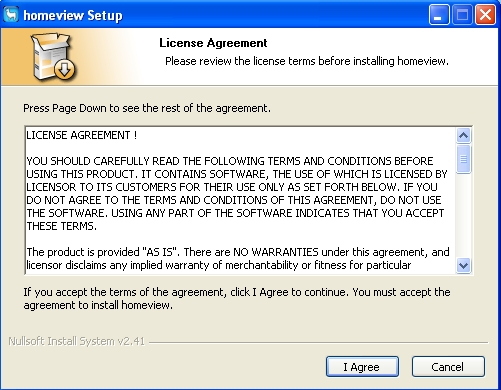
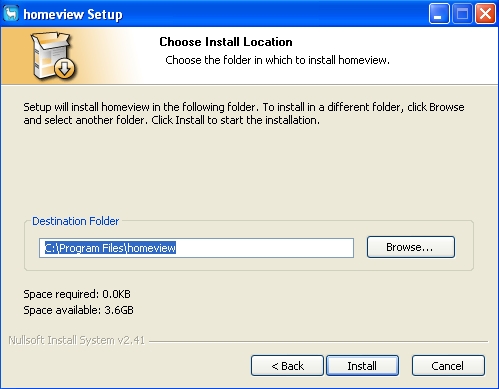
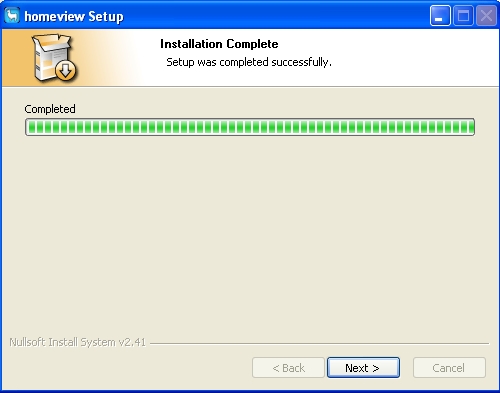
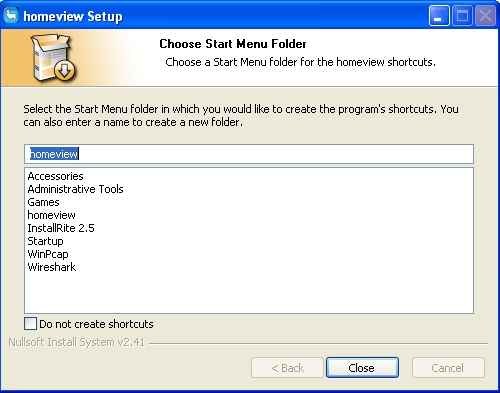
Installation
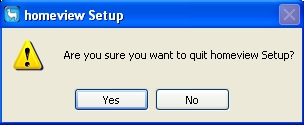
While the fake installation screens are distracting user, the malware creates and executes this file:
- %temp%\jah339312.exe
This file is detected as Trojan:W32/DNSChanger.ARNF.If the fake Homeview installation sequence is completed, a new folder named %Program Files%\homeview is created and this file is added to it:
- %Program Files%\homeview\Uninstall.exe
This uninstaller is capable of removing the Homeview-related registry entries and deleting itself and its folder. It is however incapable of removing Trojan:W32/DNSChanger.ARNF, or the changes that malware makes to the system.
Registry Modifications
Creates these keys:
- HKEY_CLASSES_ROOT\homeview\CLSID (default) = "{6BF52A52-394A-11D3-B153-00C04F79FAA6}"
- HKEY_CURRENT_USER\Software\homeview (default) = "%Program Files%\homeview"
- HKEY_CURRENT_USER\Software\{NSINAME} Start Menu Folder = "homeview"
- HKEY_LOCAL_MACHINE\SOFTWARE\Classes\homeview\CLSID (default) = "{6BF52A52-394A-11D3-B153-00C04F79FAA6}"
- HKEY_LOCAL_MACHINE\SOFTWARE\Microsoft\Windows\CurrentVersion\Uninstall\homeview UninstallString = "%Program Files%\homeview\Uninstall.exe" InstallLocation = "%Program Files%\homeview" DisplayName = "homeview" DisplayIcon = "%Program Files%\homeview\Uninstall.exe,0"
More Support

Community
Ask questions in our Community.

User guides
Check the user guide for instructions.

Contact Support
Chat with with or call an agent.

Submit a Sample
Submit a file or URL for analysis.