Summary
Qhost.C, a variant of Qhost, is a Trojan. Qhost.C tries to steal confidential logon information related to Escrow.com's website.
Removal
Based on the settings of your F-Secure security product, it will either move the file to the quarantine where it cannot spread or cause harm, or remove it.
A False Positive is when a file is incorrectly detected as harmful, usually because its code or behavior resembles known harmful programs. A False Positive will usually be fixed in a subsequent database update without any action needed on your part. If you wish, you may also:
- Check for the latest database updates
First, check if your F-Secure security program is using the latest updates, then try scanning the file again.
- Submit a sample
After checking, if you still believe the file is incorrectly detected, you can submit a sample of it for re-analysis.
Note: If the file was moved to quarantine, you need to collect the file from quarantine before you can submit it.
- Exclude a file from further scanning
If you are certain that the file is safe and want to continue using it, you can exclude it from further scanning by the F-Secure security product.
Note: You need administrative rights to change the settings.
Technical Details
Qhost.C is download from the following link:
- https://www.angelfire.com/planet/pom0/ag[REMOVED]]t.hta
Once this malware has been downloaded and executed it will show the following message:
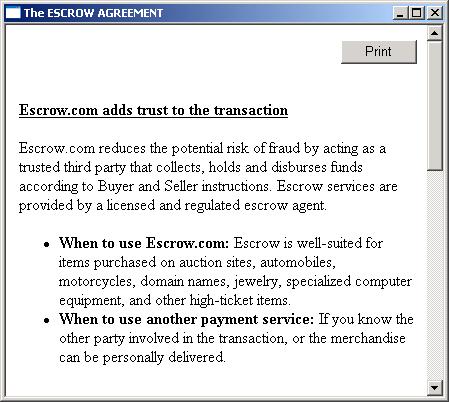
Qhost.C silently adds the following strings to the Windows hosts file to redirect the user from the original Escrow website to the hackers' phishing site:
- 208.116.11.196 escrow.com
- 208.116.11.196 i-escrow.com
- 208.116.11.196 my.escrow.com
- 208.116.11.196 www.escrow.com
- 208.116.11.196 www.i-escrow.com
Qhost.C looks for the hosts file in the following locations:
- C:\Windows\hosts
- C:\Windows\system32\drivers\etc\hosts
- C:\WINNT\system32\drivers\etc\hosts
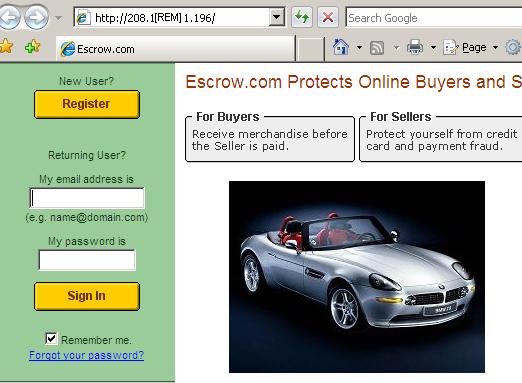
The phishing site looks identical to the original website, only the link is different. Here is a sample screenshot:
More Support

Community
Ask questions in our Community.

User guides
Check the user guide for instructions.

Contact Support
Chat with with or call an agent.

Submit a Sample
Submit a file or URL for analysis.