Summary
Dishonest antivirus software which tricks users into buying or installing it, usually by infecting a user's computer, or by pretending the computer is infected.
Removal
Based on the settings of your F-Secure security product, it may block the file from running, move it to the quarantine where it cannot spread or cause harm, or ask you to select an action.
A False Positive is when a file is incorrectly detected as harmful, usually because its code or behavior resembles known harmful programs. A False Positive will usually be fixed in a subsequent database update without any action needed on your part. If you wish, you may also:
- Check for the latest database updates
First, check if your F-Secure security program is using the latest updates, then try scanning the file again.
- Submit a sample
After checking, if you still believe the file is incorrectly detected, you can submit a sample of it for re-analysis.
Note: If the file was moved to quarantine, you need to collect the file from quarantine before you can submit it.
- Exclude a file from further scanning
If you are certain that the file is safe and want to continue using it, you can exclude it from further scanning by the F-Secure security product.
Note: You need administrative rights to change the settings.
Technical Details
This is the family description for the Rogue:W32/UltimateFix family of rogueware.
Variants in the UltimateFix rogueware family are rogue anti-malware programs that generate fake or misleading scan results,Â& in an attempt to trick users into purchasing their products.
Installation
UltimateFix variants commonly launch a downloader that installs the application. much like the one shown below:
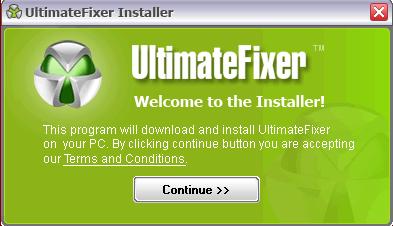
Screenshots of known UltimateFix variants can be seen below :
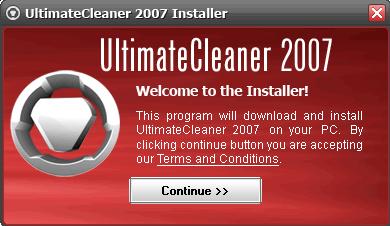
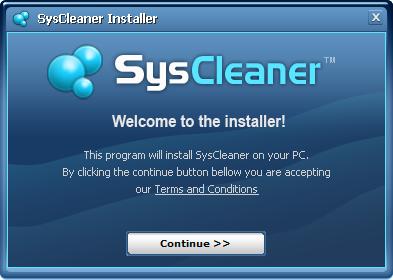
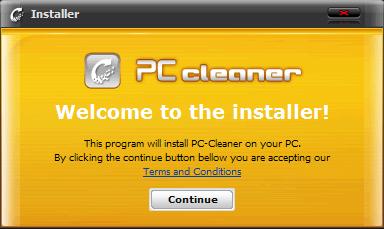
During installation, the program creates these files :
- %Desktop%\UltimateFixer 2007.lnk
- %ProgramFiles%\UltimateFixer 2007\Register UltimateFixer 2007.lnk
- %ProgramFiles%\UltimateFixer 2007\Start UltimateFixer 2007.lnk
- %ProgramFiles%\UltimateFixer 2007\Uninstall UltimateFixer 2007.lnk
- %ProgramFiles%\Ultimate Fixer\program.info
- %ProgramFiles%\Ultimate Fixer\ufixer.pkg
- %ProgramFiles%\Ultimate Fixer\UltimateFixer.db
- %ProgramFiles%\Ultimate Fixer\UltimateFixer.exe
- %ProgramFiles%\Ultimate Fixer\Uninstall.exe
Registry
During installation, the program creates the following registry key to automatically execute itself:
- HKLM\Software\Microsoft\Windows\CurrentVersion\Run = %ProgramFiles%\Ultimate Fixer\UltimateFixer.exe
More Support

Community
Ask questions in our Community.

User guides
Check the user guide for instructions.

Contact Support
Chat with with or call an agent.

Submit a Sample
Submit a file or URL for analysis.