Monitoring-Tool:Android/Cobbler.A
Summary
Cobbler.A allows the user to perform certain actions on the device from a remote location via an SMS message.
Removal
You can set the F-Secure app to scan your device for viruses and other threats automatically. Once the app has completed its scan of the files on your device, you may assess any detected file or files and opt to remove it.
A False Positive is when a file is incorrectly detected as harmful, usually because its code or behavior resembles known harmful programs. A False Positive will usually be fixed in a subsequent database update without any action needed on your part. If you wish, you may also:
- Check for the latest database updates
First, check if your F-Secure security program is using the latest updates, then try scanning the file again.
- Submit a sample
After checking, if you still believe the file is incorrectly detected, you can submit a sample of it for re-analysis.
Note: If the file was moved to quarantine, you need to collect the file from quarantine before you can submit it.
- Exclude a file from further scanning
If you are certain that the file is safe and want to continue using it, you can exclude it from further scanning by the F-Secure security product.
Note: You need administrative rights to change the settings.
Technical Details
Cobbler.A allows the user to define specific SMS messages that can later be used to perform the following actions from a remote location:
- Wipe the SD card contents
- Wipe everything found on the device
- Retrieve the device's location

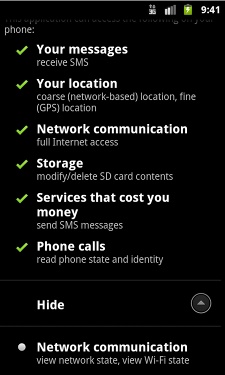
Cobbler.A's icon and requested permissions
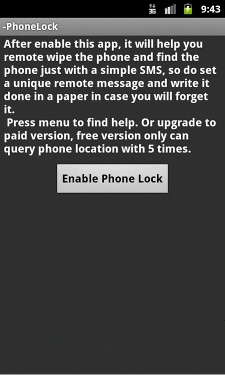
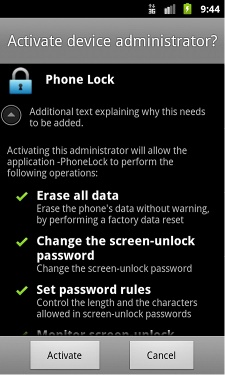
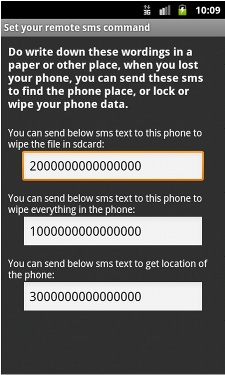
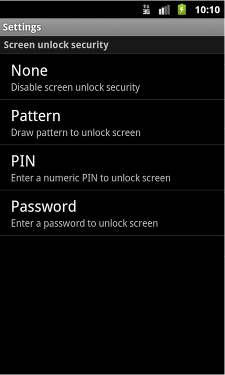
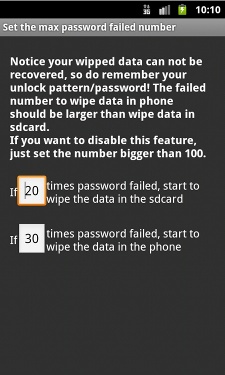
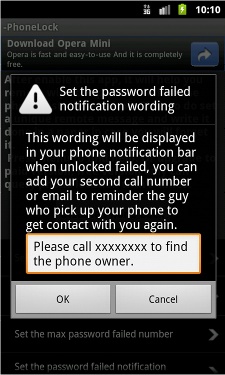
Screenshots of Cobbler.A while running on a device
While apps with such behavior may be legitimately used by the device's authorized user, they are classified by security programs as riskware because in the hands of unauthorized users, they can also be used to cause damage to the user's data or the device.
If you are confident that you are aware of the risks involved in using the program and consent to its use, you may choose to keep it installed on your device.
More Support

Community
Ask questions in our Community.

User guides
Check the user guide for instructions.

Contact Support
Chat with with or call an agent.

Submit a Sample
Submit a file or URL for analysis.